


What is Sodium APK?
Sodium is a performance optimization tool designed specifically for Minecraft players who want smoother gameplay without sacrificing visuals. It runs on desktop platforms using mod loaders like Fabric, Quilt, and NeoForge—often bundled in third-party Minecraft launchers. This isn’t a game or a standalone app; it’s a mod that plugs into the Minecraft environment, focusing on graphical rendering for better stability and faster load times.
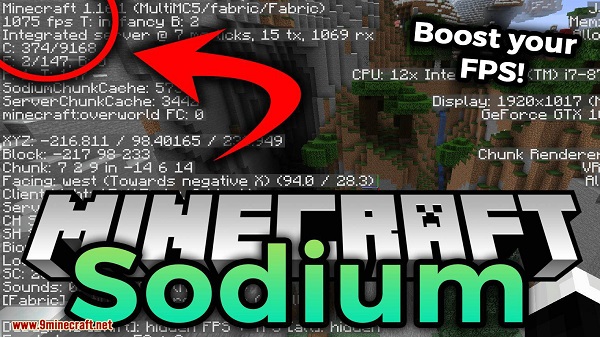
The main purpose of Sodium is to fix frame rate drops, reduce lag, and improve how graphics load in-game. It’s especially handy for players who use complex builds or large mod packs. Unlike some optimization mods that require constant tweaking, Sodium works right out of the box with most default settings, making it friendly for both beginners and power users.
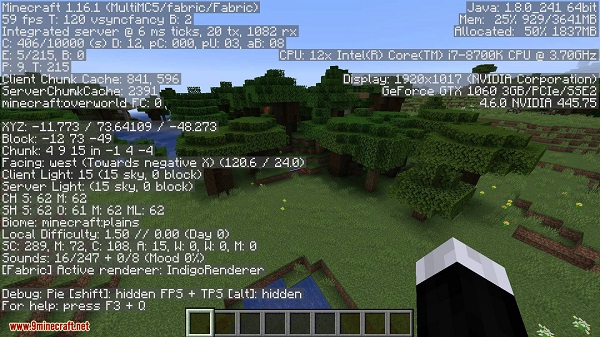
One thing users often appreciate is how the mod tackles Minecraft’s chunk rendering and lighting calculations. It introduces an advanced rendering engine that provides clean visuals while using fewer system resources. This helps prevent micro-stutters and gives a noticeable speed boost during demanding scenes like combat or Redstone-heavy setups.
Sodium supports a wide range of systems, from modest laptops with older GPUs to high-end PCs. It’s compatible with graphics cards that support OpenGL 4.5 or newer, which includes most GPUs from the past decade. Even without additional mods, it can bring significant performance improvements to vanilla Minecraft.
That said, Sodium doesn’t touch everything. It’s laser-focused on rendering. That means it won’t boost performance in areas like AI processing, tick speed, or world generation. To cover those, players might want to pair Sodium with other mods like Lithium or Phosphor, which optimize different parts of the game engine.
Sodium is a good match for players who want a hassle-free FPS boost, especially on survival servers, creative mode builds, or when exploring densely populated areas. It’s also a smart option for players with lower-end systems who still want clean visuals and smooth frame rates. Just keep in mind that it won’t work well on Android or ARM-based devices with OpenGL translation layers.
FAQs Sodium
What is Sodium?
+
Sodium is a Minecraft mod that improves game performance by optimizing the graphics rendering system, reducing lag, and increasing frame rates.
How do I install Sodium on Minecraft?
+
You’ll need a mod loader like Fabric, Quilt, or NeoForge. Then download the correct Sodium version for your Minecraft release and place it in your mods folder.
Does Sodium work on mobile devices?
+
No, Sodium doesn’t support Android or ARM-based systems. It’s designed for desktop platforms that support OpenGL 4.5 or higher.
Is Sodium compatible with other mods?
+
Yes, Sodium is built for compatibility with many mods, but it focuses only on rendering. For more performance gains, use it with mods like Lithium or Phosphor.
Who should use Sodium?
+
Sodium is great for Minecraft players who want faster performance and stable graphics—especially on older PCs or while playing with large mod packs.
Discover More Interesting Apps
-
 Mod
Mod
Multiple Accounts
vv5.5.0
209.47 MB
Updated -
Theick.io
v0.4.8
29 MB
Updated -
Mod
Remote Mouse Pro
v5.306
63 MB
Updated -
Mod
TLS Tunnel
v7.2.6
27.95 Mb
Updated -
Ace Stream
v3.2.19.5
107.59 Mb
Updated -
90 FPS
v11.4
16.02 Mb
Updated -
Mod
Medix
v1.4.0
69.80 Mb
Updated -
Mod
Multi App
v2.7.0
37.47 Mb
Updated -
Sophon
v1.0.54.1
65.80 Mb
Updated -
Mod
SWAP - No ROOT
vv4.8.8
8.41 Mb
Updated










Share Your Thoughts